
Organization Management
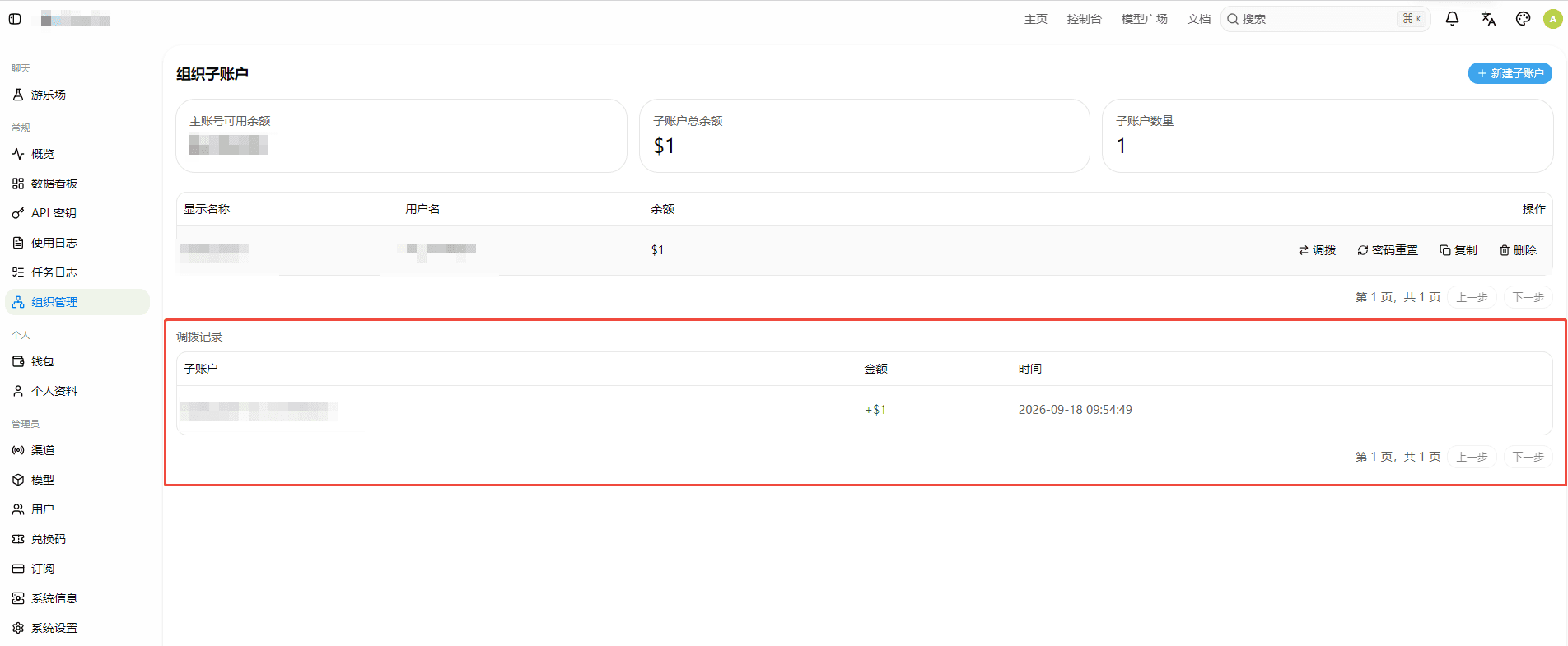
Here you can manage your organization structure: create and manage sub-accounts, and flexibly transfer balance between the main account and sub-accounts. This is useful for splitting and centrally controlling quota across teams, departments, or projects.
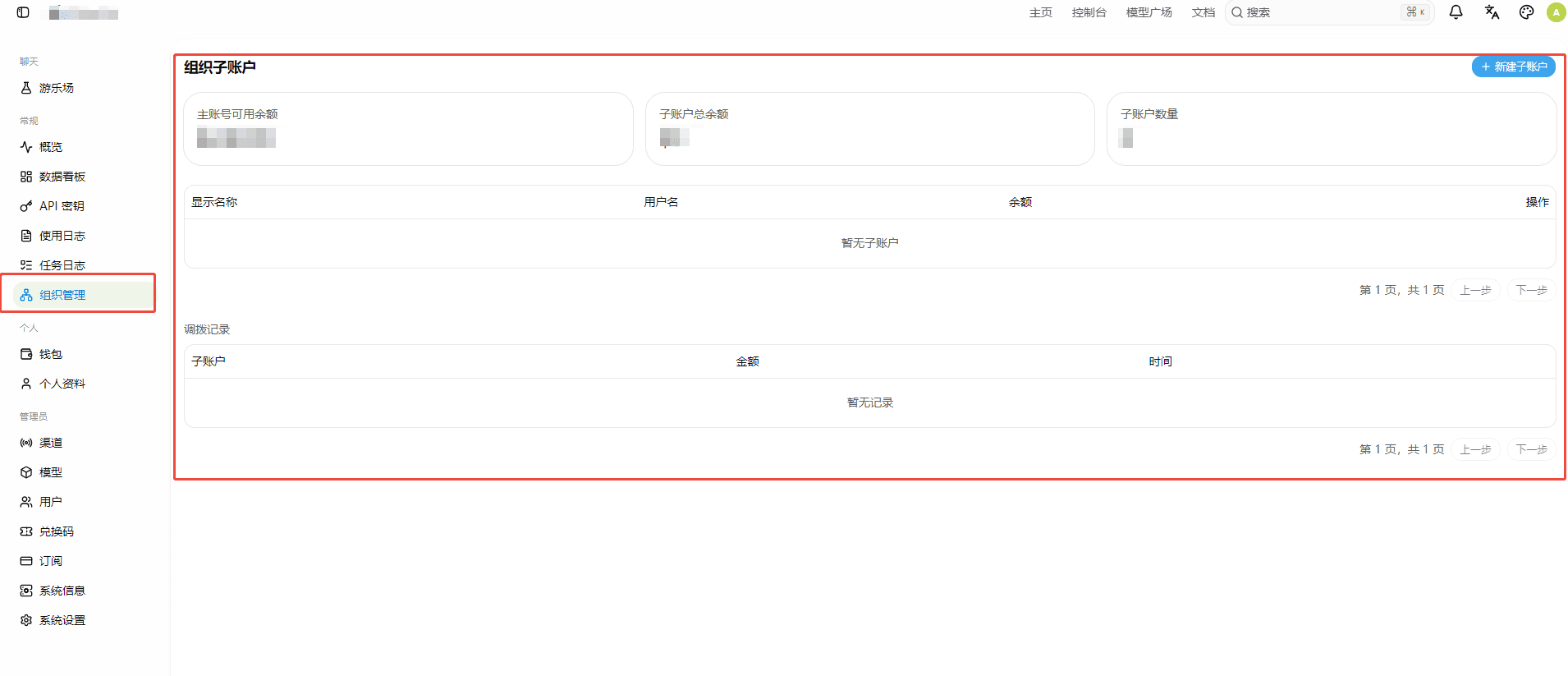
Creating a Sub-account
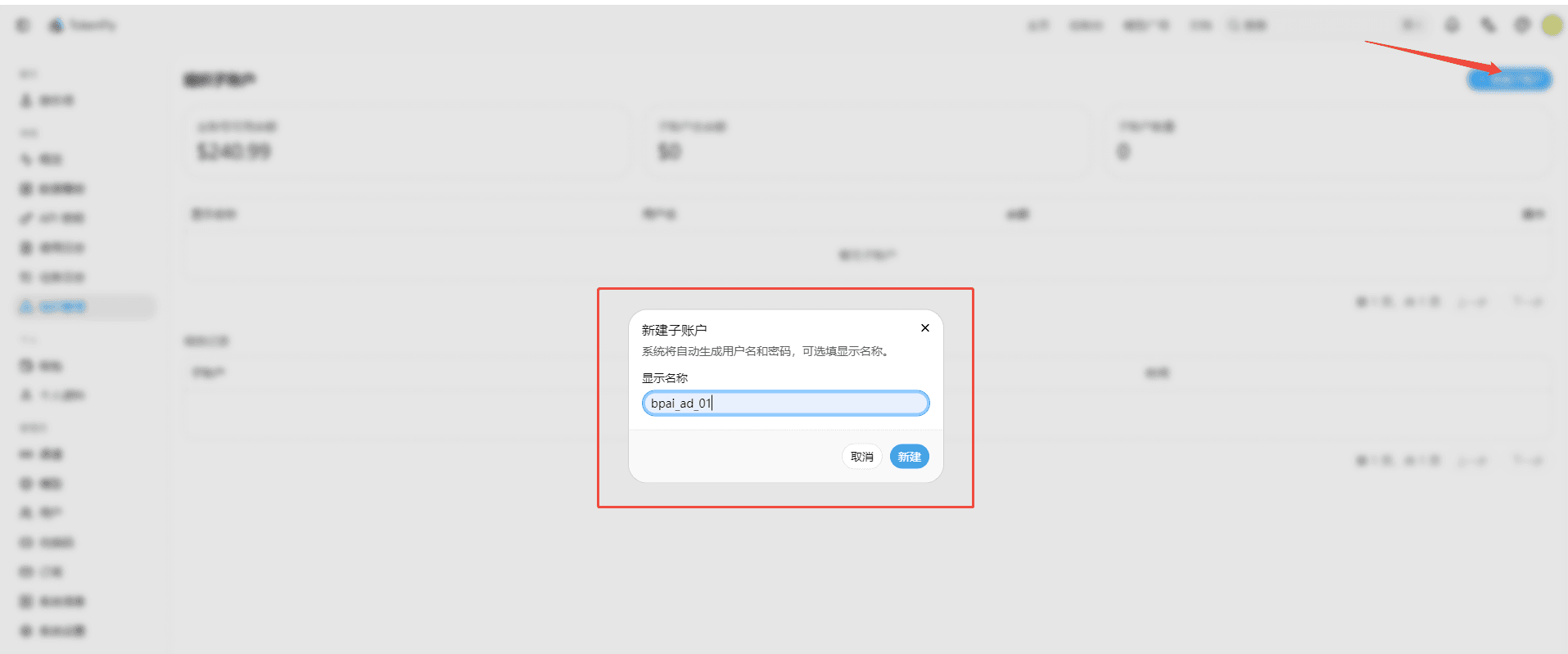
Click "Create Sub-account" and fill in the sub-account's username, password, and other basic information to create it. A sub-account has its own independent login credentials and can log in to the TokenFly console separately. Its API calls, logs, and other data are isolated from the main account, but are centrally managed by the main account.
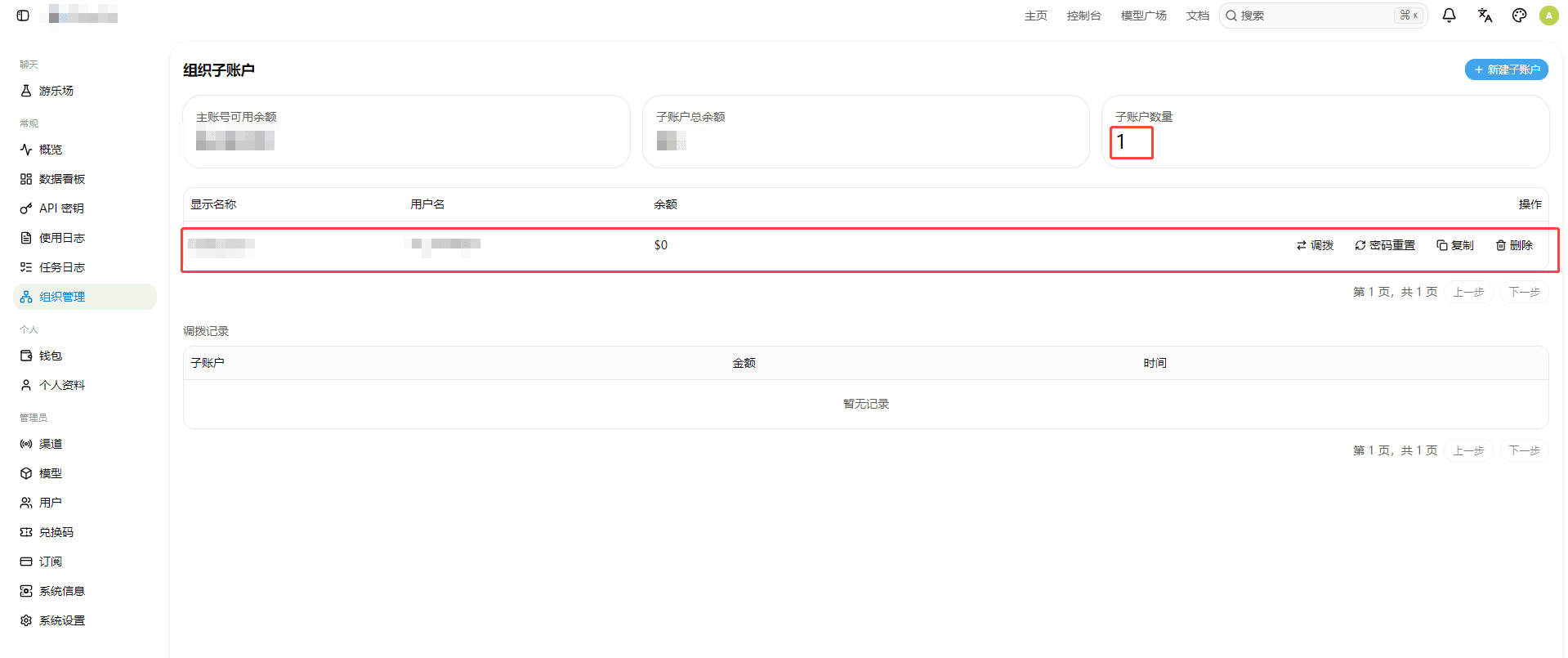
Sub-account List
Here you can view all sub-accounts under the current organization, including their balance, status, and creation time. You can also edit, enable/disable, or delete sub-accounts.
Balance Transfer
Balance transfers between the main account and sub-accounts are independent of each other and take effect immediately, so the transferred balance can be used right away for API calls under the corresponding account.
Main Account → Sub-account
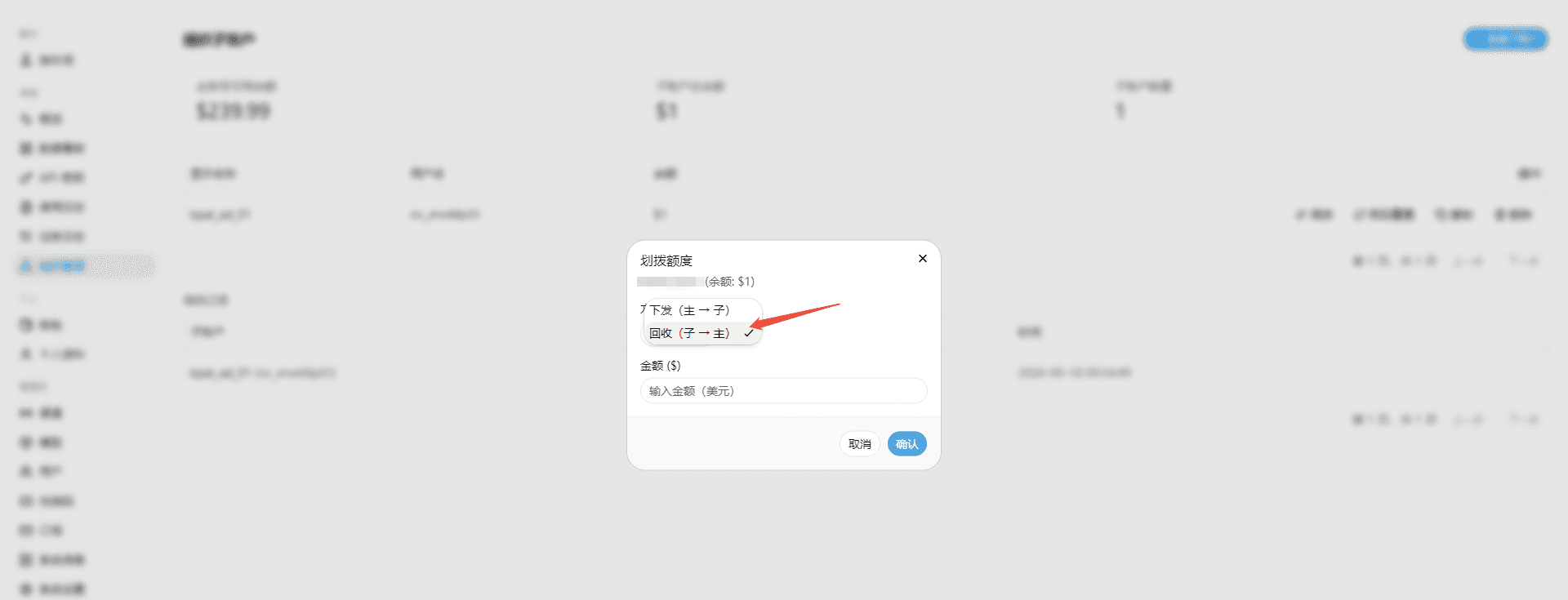
Within the main account's available balance, select a target sub-account and enter a transfer amount to move balance from the main account to that sub-account.
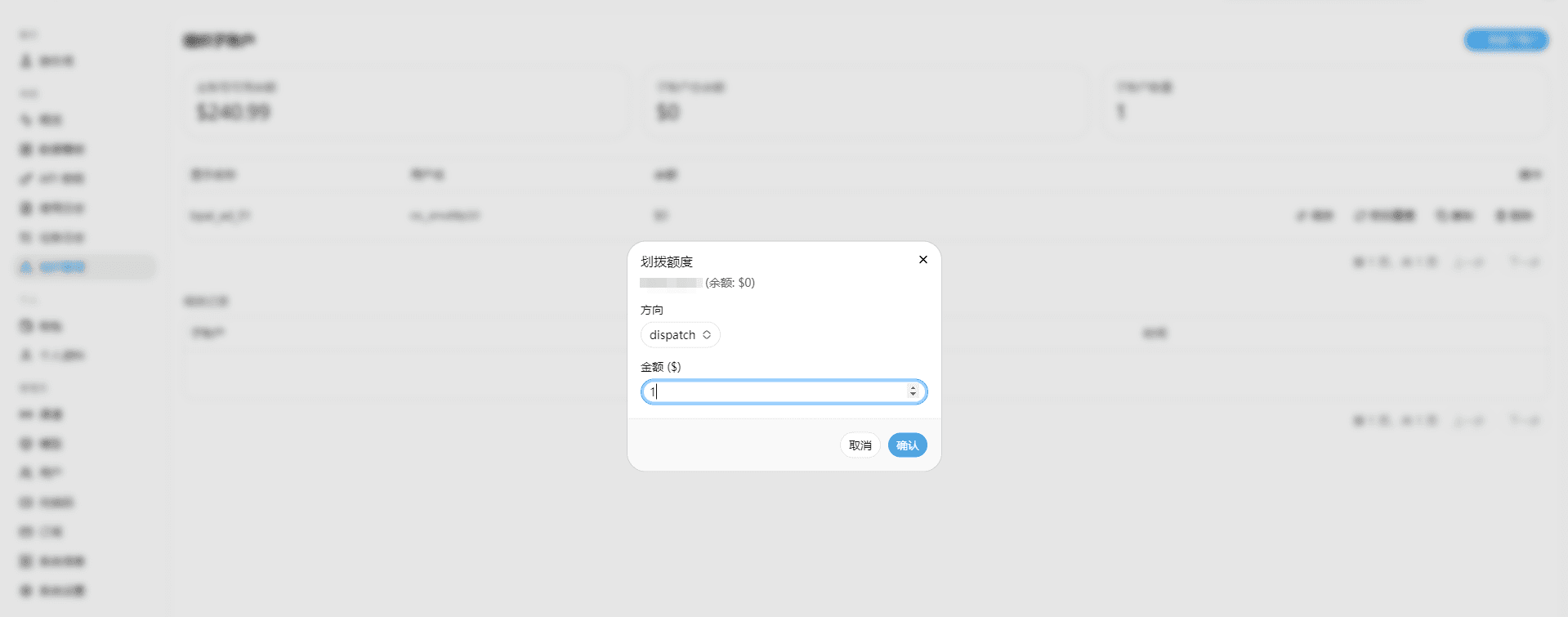
Sub-account → Main Account
You can also transfer balance from a sub-account back to the main account, making it easy to reclaim and redistribute quota.
Transfer History
Here you can view the balance transfer history between the main account and each sub-account, including transfer direction, amount, and time, for easy reconciliation and auditing.
How is this guide?